
Generate delicious and nutritious meal plans in seconds. Download the app and create your free account to start saving recipes and creating meal plans today!


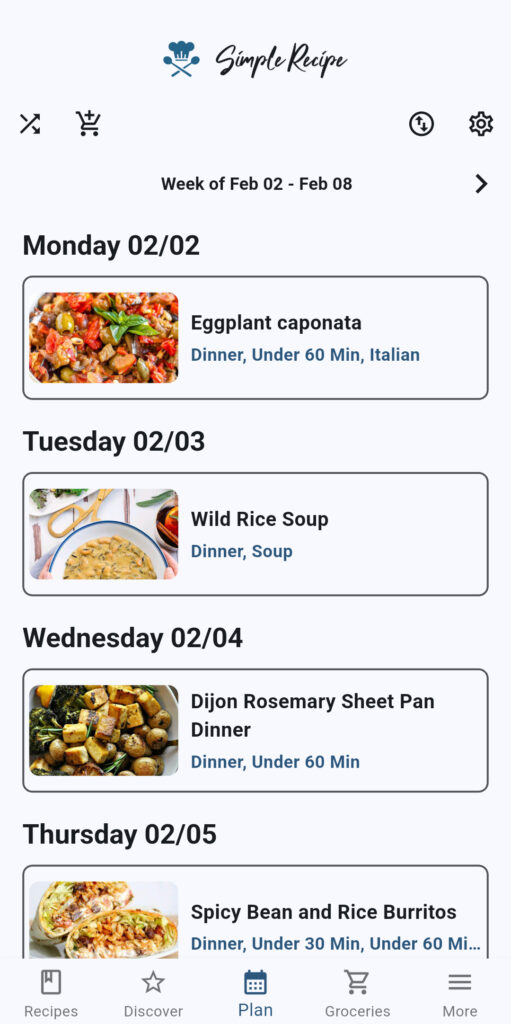
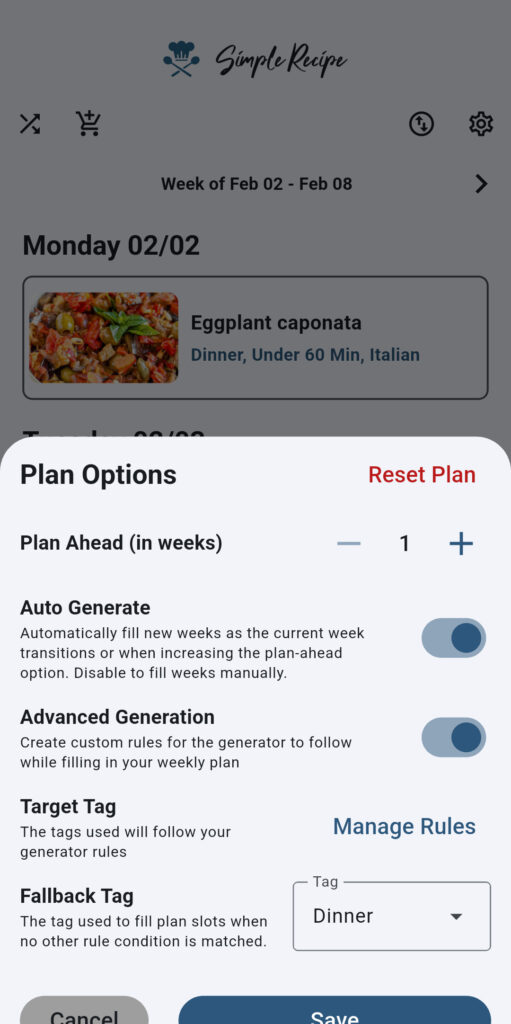
The first step to creating your meal plan is to select the types of recipes you want to generate. You can select from the base tags built into the app (breakfast, lunch, dinner, snack, sides, drinks, dessert, other). The generator will then pull recipes included in the selected tags. You can also bypass the generator and manually select your recipes for each week.
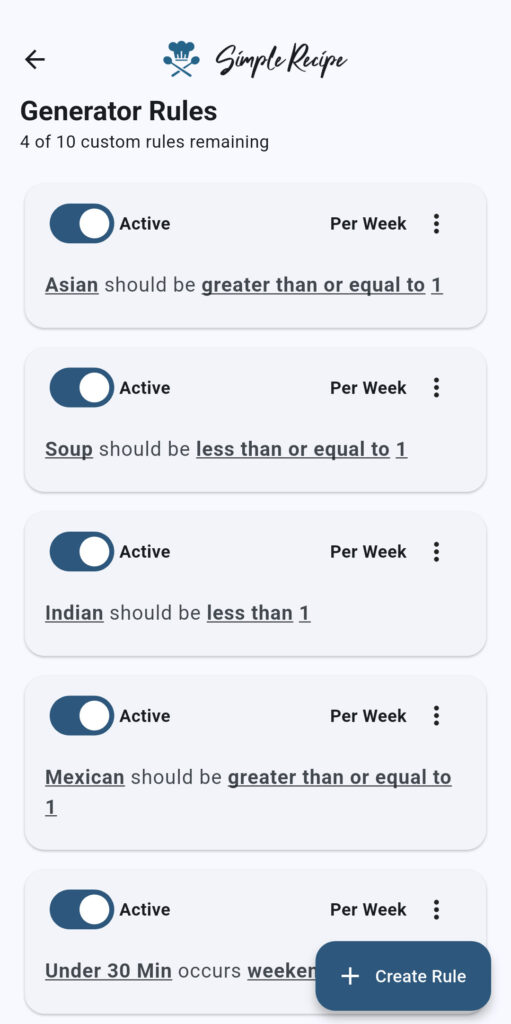
If you’re using the auto-generate feature, you can add additional guardrails through custom rules to fine-tune the recipes that are selected for each day of the week. You can also customize how far out in advance the generator plans.
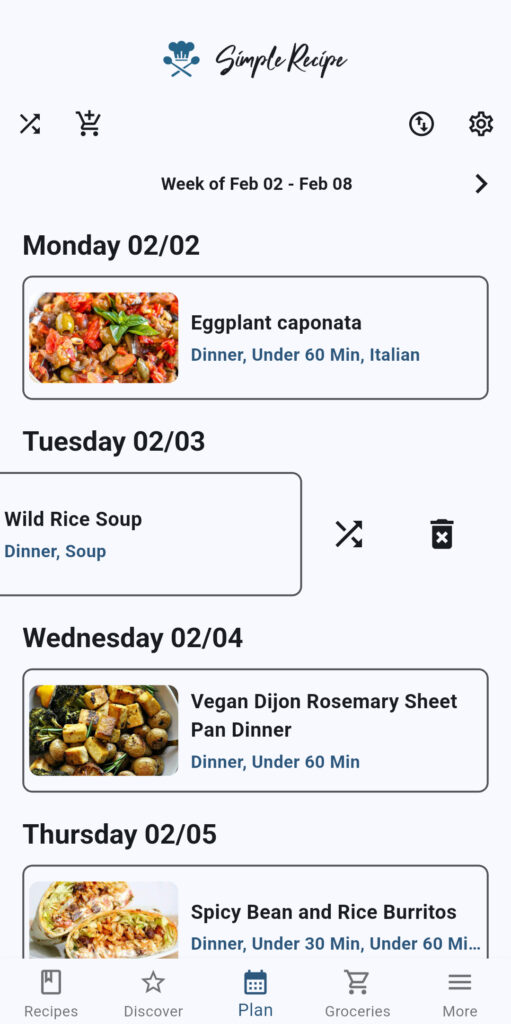
Once your meal plan is created, you can modify and tweak it to perfection. You can swap recipes between days to reorganize your plan or randomly shuffle specific meals to include a bit more variety in your plan.
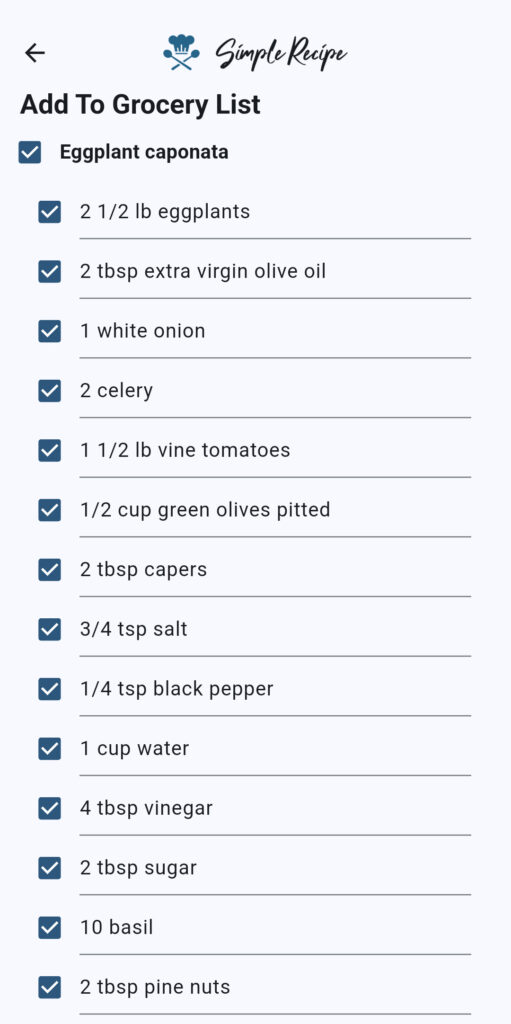
When you’ve finalized your meal plan for the week, you can add all the ingredients you’ll need to prepare your meals to your grocery list. Simple Recipe makes it easy to add all the ingredients from each recipe to your grocery list at once, but you can also add select ingredients only if you’re only missing a few key ingredients.
Every decision you make is taxing on your brain. Simple Recipe’s auto-generate feature allows you to have a meal plan created automatically, so that you have a plan for what to cook without having to think about it.
Simple Recipe is an all-in-one kitchen app, which means everything you need to cook is in one place. You can access your meal plan, your recipes, and your grocery list for each week without ever leaving the app.
Cross-device syncing allows your meal plan to be viewed and edited from multiple devices. This means everyone in your household will know what the menu is for the week and can contribute to making it.
Store all of your favorite recipes in the app and categorize them with tags.
Start collecting and organizing all of your favorite recipes in one convenient and easy-to-use location today!
The meal plan feature in the Simple Recipe app is free to use. You can either manually generate your meal plan or use the simple auto-generation for free. You’ll need the premium plan to be able to set advanced rules for the meal plan generator.
Yes, if you want full control over your meal plan, you can create your plan manually. Auto-generation can be toggled off in your settings at any time.
On the free plan, the generator will pull all the recipes tagged with the tag of your choice and randomly select recipes from that list. The random selection provides variety so that no two weeks are the same. If you’re on the premium plan, you can create more guardrails for the random generator by setting rules that the generator must follow when selecting recipes.
Yes, you can generate meals up to 4 weeks in advance. This allows you to plan meals out for an entire month in advance and is great for those who really like to plan ahead.
There are three different types of rules you can set for your meal plan: numeric, weekday, and inclusivity rules.
Numeric rules allow you to set the number of times a specific tag appears in your plan. You could set a rule like limiting recipes tagged as Mexican recipes to only one per week, so that you’re not eating Mexican food twice in one week.
Weekday rules allow you to specify tags for specific days. For instance, you could tell the generator to only generate a recipe tagged as a pasta recipe on Fridays, so that you can make sure every Friday is pasta day.
Inclusivity tags allow you to set a tag that is included or excluded based on the presence of another tag. As an example, you could set up a rule that specifies that recipes tagged as shrimp, crab, clam, or scallop recipes should be excluded from the plan if a recipe tagged as a lobster recipe is generated. This would ensure that you’re not eating shellfish more than once a week.
Yes, you can exclude specific recipes using custom plan rules. Alternatively, since recipes pull from a tag of your choice, you could remove that tag from the recipes you want excluded to exclude them from consideration for the meal plan. If you want to exclude specific ingredients, you’ll have to tag recipes that contain that ingredient and then add the tag as an exclusion in your meal plan rules.
Yes, you can tag recipes with dietary categories and then set custom rules for your meal plan generator to only generate recipes with the dietary tags of your choice.
Yes, you can swap meals between days. Swapping is as easy as dragging a recipe to the day you want it in the plan.
Yes, you can randomly shuffle recipes for just one specific meal to fine-tune your plan.
Simple Recipe is designed to make cooking and grocery shopping as easy as possible. We specifically designed the meal plan view to allow you to add your entire meal plan to the grocery list, so that you can add all the ingredients you need for a week into your list in a matter of seconds.
Yes, you can share your meal plan with cross-device syncing on the premium plan. Premium allows you to log in on any device to see your plan, so that everyone in your house can gain access to the plan.
Yes, any user logged into your account can edit your plan with cross-device syncing. You can share your account with others to allow multiple people to create and edit the meal plan.
Yes, Simple Recipe was designed using native-first architecture. Your meal plan is saved to your device by default, so it’ll always be available and accessible – even when you’re offline. The only thing that won’t work without a connection is cross-device syncing. So, if someone makes a change to your plan on another device, you won’t see it until you’re back online.