
Make grocery shopping faster with simple, organized lists stored right on your phone. Download the app and create your free account to start building your next grocery list today!


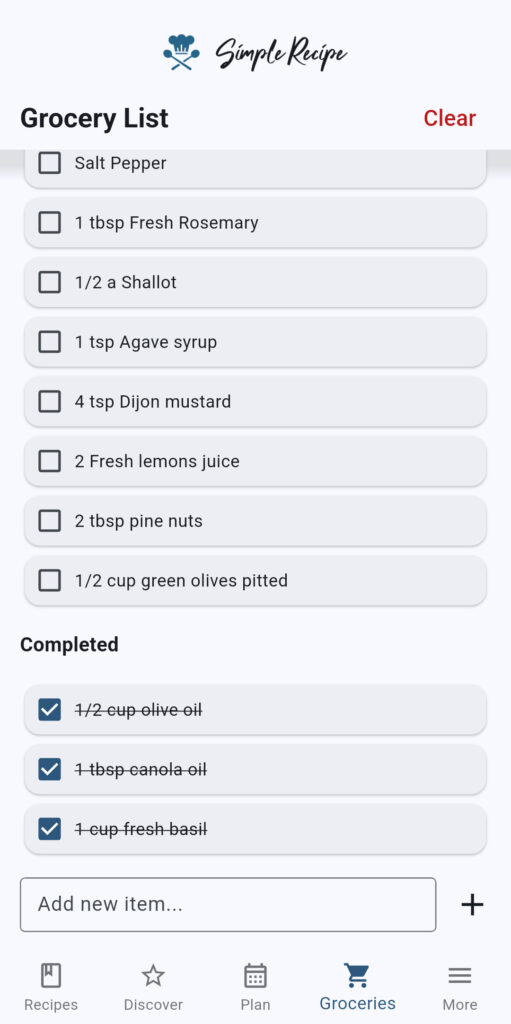
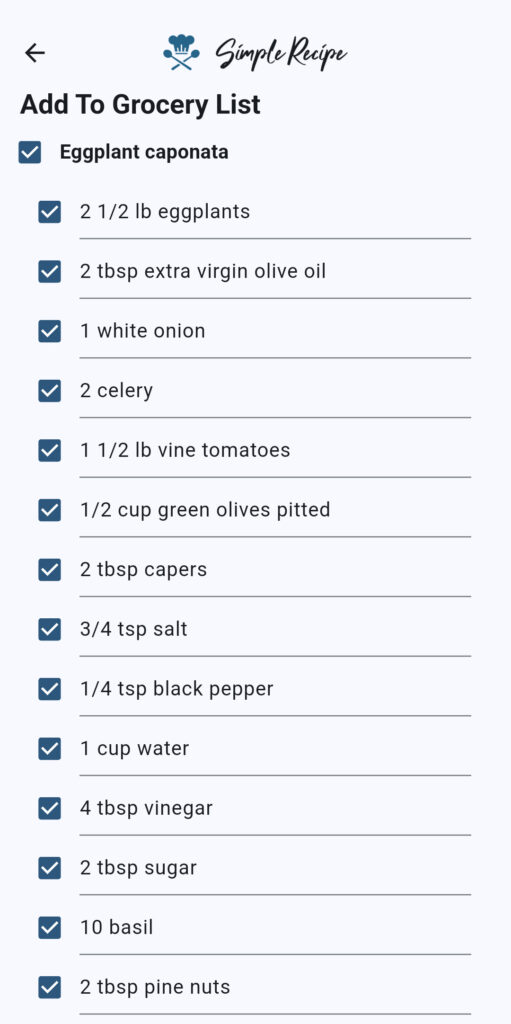
The first step to creating a grocery list is adding the grocery items you need to your list. You can add ingredients directly from recipes saved in the app, or you can manually add grocery items that don’t exist in recipes. To save time, you can add all the ingredients from every recipe in your meal plan with one tap.
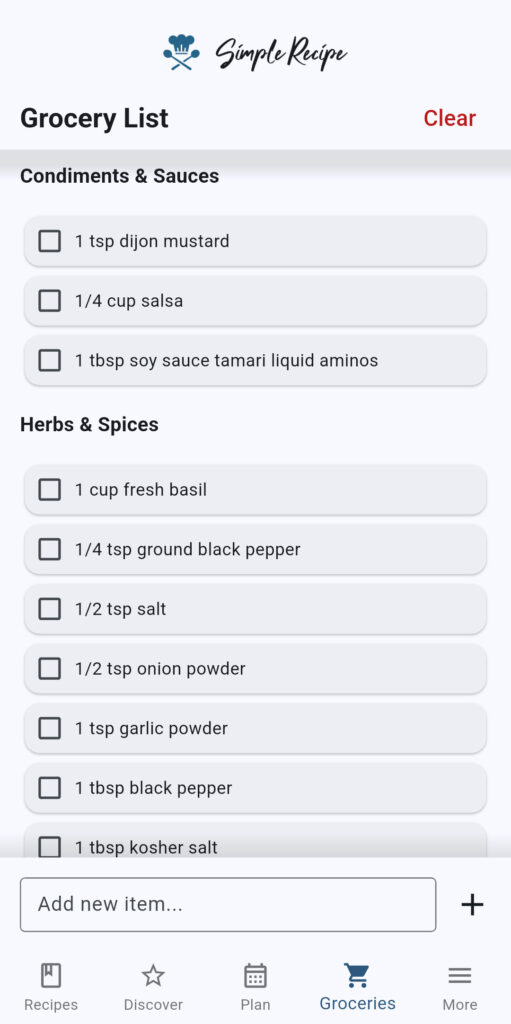
Once grocery items have been added to your list, you can organize your list to make shopping faster. Simple Recipe can auto-categorize grocery items to match store sections (fresh produce, bakery, pantry, etc.) for more efficient shopping. You can also manually arrange items to more closely match the layout of your grocery store.
Once you’ve started your shopping trip, you can check off items as you add them to your cart. Checked items will move to the bottom of the list, so they’re still visible for you to keep track of what you’ve added to your cart and what you still need to get.
Because Simple Recipe is an all-in-one cooking app, your meal plan is seamlessly integrated with your grocery list. This means you can add ingredients from recipes added to your meal plan with just one tap – saving you from having to type out every item you need.
Auto-categorization and the ability to arrange and edit items allow you to maintain a structured list, so you can navigate your grocery store and pick up what you need with ease. Check boxes help you determine what you’ve added to your cart and what you still need.
Simple Recipe offers cross-device syncing so your grocery list can be accessed and edited on multiple devices. This means any member of your household can log in to the app to see the grocery list and perform shopping duties.
Organize your recipes into curated cookbooks that can be shared with family and friends.
Start collecting and organizing all of your favorite recipes in one convenient and easy-to-use location today!
The grocery shopping feature of the Simple Recipe app is free to use. You can add items, organize your list, and check off items at no cost. The premium plan provides you with cross-device syncing and auto-categorization, so you don’t have to manually categorize your grocery items, and you can view and edit your list across multiple devices.
There’s an add to grocery list icon towards the top of every recipe. You can click that icon and select the ingredients you want added to your grocery list from the recipe to add those ingredients to your list. All of the ingredients in a recipe will be checked to add to the list by default, which makes it very fast to add the entire list of recipe ingredients to your grocery list.
While Simple Recipe makes it fast to add all the ingredients from a recipe to your grocery list, you can be more selective. The app lets you check the ingredients from your recipe that you want added, so that you can add just the handful of ingredients you might need.
Yes, the app doesn’t limit you to only adding ingredients to your grocery list from your recipes. You can also manually add items you might need that aren’t in your recipes.
Items can be edited after being added to the grocery list. You can edit the name of the item, the grocery category, or the quantity. Editing the name of the ingredient in the grocery list will not edit the name in any of your recipes.
Yes, you can change the quantity of the items in your grocery list. In addition to changing the numeric quantity, you can also edit the unit of measurement to get exactly the right amount of each item that you need.
Grocery list items won’t be automatically grouped on the free version of the app. You’ll have to manually organize your grocery list with the free version. The premium version does include advanced grocery categorization. If you have a premium subscription, the app will automatically categorize grocery items for you so that similar items are grouped together.
Yes, you can recategorize items and move them around in your list by dragging and dropping items around. Rearranging items to more closely match the layout of your local grocery store can help you save time while shopping.
The app doesn’t automatically delete items that are checked off your list. Checked items will move to the bottom of the view, so you’re still able to see items that you’ve checked off. Checked items can be deleted at any time by hitting the clear checked button.
Checked items are still visible and editable. This allows you to uncheck an item if it was accidentally checked. When a checked item is unchecked, it will move back into the unchecked section of your grocery list.
Cross-device syncing is available on the premium plan. This feature allows multiple users to edit the grocery list at the same time when logged into the same account. Cross-device syncing can be very helpful when multiple members of the household need to add items to the grocery list.
The app will perform an automatic sync every hour and update your list with any new items that have been added. You can perform a manual sync at any time to fetch the latest list from the cloud. You’d have to manually sync to instantly see an item added from another device.
Your grocery list is automatically saved to your device by default. This means that you’ll be able to view and edit your list offline. The only thing that won’t work offline is the cross-device syncing. So you won’t see any grocery list edits made on other devices until you’re back online.